CRT Effect in One Sentence
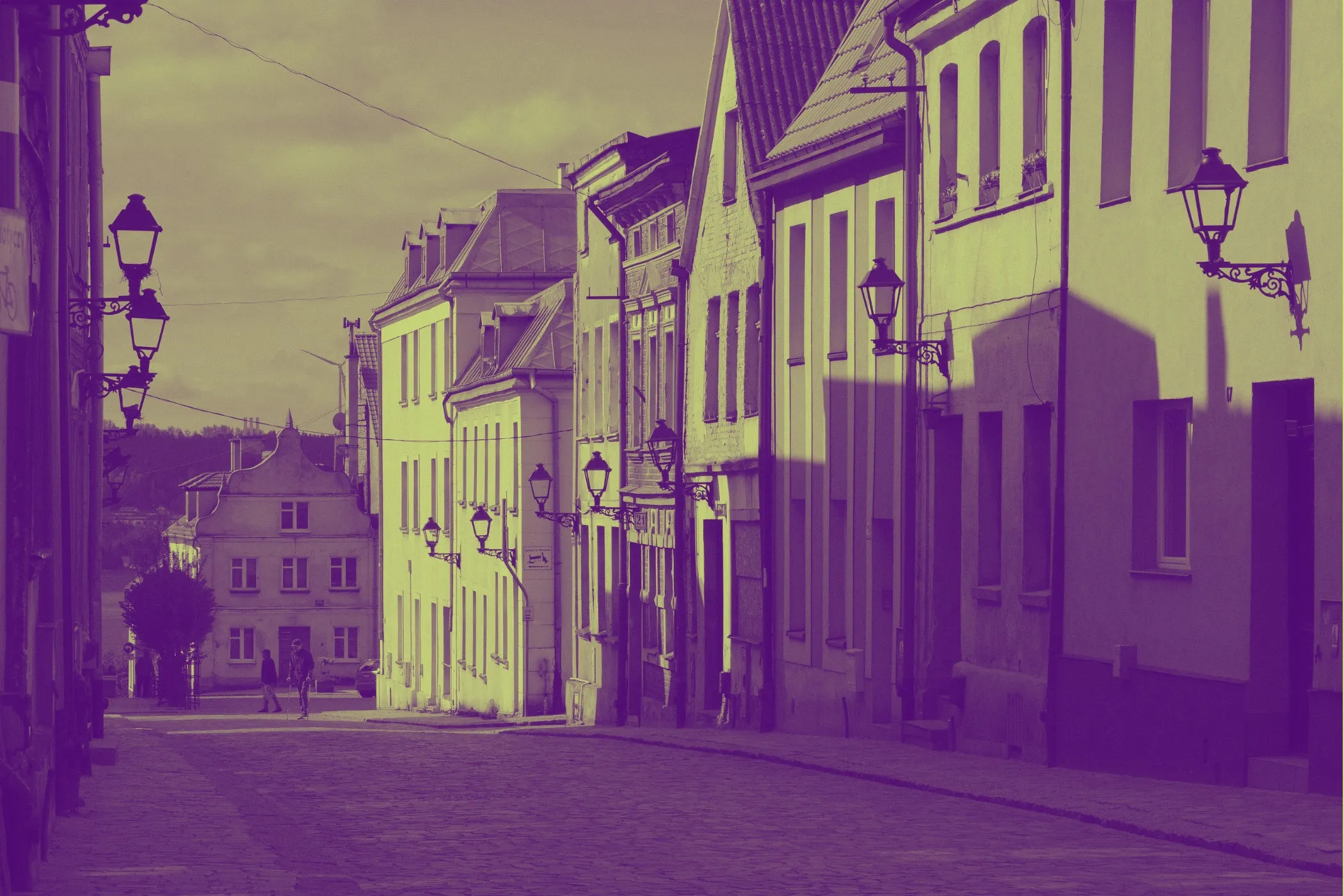
A CRT effect makes an image look like it is being displayed on an old tube television or arcade monitor by simulating curved glass, scanlines, phosphor pixels, color bleed, analog noise, and glow.
Why CRT Screens Still Look So Good
CRT visuals are nostalgic, but they also have a very specific aesthetic that modern displays do not naturally have.
A good CRT effect adds:
- retro gaming atmosphere
- softer analog character
- screen depth and curvature
- glowing phosphor color
- imperfect but beautiful signal texture
That combination makes digital images feel less flat and more alive.
Instead of looking like a sterile screenshot, the image starts to feel like it belongs on:
- an arcade cabinet
- a 90s living room TV
- an old console monitor
- a security display
- a retro broadcast screen
What This Tool Does
This tool recreates the look of a tube display directly in the browser, with separate controls for geometry, signal, and phosphor behavior.
You can:
- bend the image with Barrel Curvature to simulate convex glass
- darken edges with Tube Shadow Vignette
- add RGB Color Bleed for analog chromatic softness
- introduce Static Noise for signal interference
- apply Scanlines and an RGB Phosphor Mask for classic display structure
- add Phosphor Glow for bloom-like illuminated highlights
- use Surprise me ✨ to jump between curated CRT looks
- export instantly in the same format as the original image
Everything runs locally on your device: private, responsive, and easy to fine-tune.
Workflow & Usage
1. Add an image
Drag & drop or click to select a JPEG, PNG, or WebP file.
This effect is especially strong on:
- gaming screenshots
- colorful graphics
- pixel art
- UI mockups
- bold illustrations
- retro-style typography
2. Shape the screen first
Start in Screen Geometry:
- Barrel Curvature bends the image outward like a CRT tube
- Vignette (Tube Shadow) darkens the edges like a recessed display
These two controls define the physical “screen” feeling before you add signal artifacts.
3. Add analog signal imperfections
Use Analog Signal controls:
- Color Bleed (Aberration) softens the image with RGB channel separation
- Static Noise introduces signal grit and screen interference
This stage makes the image feel less digitally perfect and more like a live analog feed.
4. Build the phosphor look
In Phosphor Display:
- Scanlines Intensity adds horizontal line structure
- Phosphor Mask (RGB Dots) simulates sub-pixel striping / dot behavior
- Phosphor Glow (Bloom) adds luminous softness to bright areas
This is where the effect becomes unmistakably “CRT.”
5. Try Surprise Me
Use Surprise me ✨ to instantly explore looks like:
- arcade cabinet
- security camera feed
- living room 90s TV
Then fine-tune from there.
6. Download
Export instantly in the original format with a filename such as:
image-crt.jpg
Understanding the Controls
Barrel Curvature
This bends the image outward from the center to mimic the convex glass face of a tube display.
What it changes visually:
- makes the screen feel more physical
- pushes corners outward and slightly distorts geometry
- creates the illusion of looking at content behind curved glass
Practical ranges:
- 0–15 → almost flat screen
- 15–35 → subtle retro TV curvature
- 35–60 → obvious curved display
- 60–100 → dramatic arcade / exaggerated tube effect
For realism, moderate values usually work best.
Vignette (Tube Shadow)
This darkens the edges of the frame to simulate the falloff and recessed shadowing common on CRT screens.
What it changes visually:
- adds depth and focus
- makes the display feel embedded in a physical housing
- helps the center feel brighter and more screen-like
Practical ranges:
- 0–20 → light edge darkening
- 20–50 → balanced classic CRT framing
- 50–75 → strong tube shadow
- 75–100 → dramatic, surveillance-style falloff
Color Bleed (Aberration)
This offsets the red, green, and blue channels slightly along the X-axis.
It recreates:
- analog softness
- chromatic fringing
- color convergence imperfections
- the slight “bleed” older displays often had around bright edges
Practical ranges:
- 0–10 → nearly clean signal
- 10–25 → subtle analog softness
- 25–45 → classic CRT fringing
- 45–100 → strong stylized aberration
Use moderate settings for realism and higher settings for a more stylized retro look.
Static Noise
This adds random signal grain to mimic interference, poor reception, or electrical texture.
What it changes visually:
- adds screen grit
- makes the display feel more live and imperfect
- works especially well for horror, surveillance, and lo-fi aesthetics
Practical ranges:
- 0–10 → clean display
- 10–25 → subtle analog texture
- 25–50 → noticeable signal interference
- 50–100 → rough, unstable, noisy feed
Scanlines Intensity
This darkens repeating horizontal rows to recreate the line structure of older displays.
What it changes visually:
- instantly signals “retro screen”
- adds rhythmic display texture
- can make pixel art and game graphics feel more authentic
Practical ranges:
- 0–15 → very light line texture
- 15–40 → balanced CRT feel
- 40–70 → strong visible scanlines
- 70–100 → very pronounced retro display pattern
Phosphor Mask (RGB Dots)
This simulates the red, green, and blue sub-pixel pattern of a CRT display by emphasizing different channels in repeating columns.
What it changes visually:
- adds authentic display structure
- creates the illusion of illuminated RGB phosphors
- makes close-up or high-resolution exports feel more monitor-like
Practical ranges:
- 0–15 → barely visible mask
- 15–40 → subtle realistic phosphor structure
- 40–70 → strong monitor character
- 70–100 → highly stylized RGB dot pattern
Phosphor Glow (Bloom)
This adds a soft blur-based glow on top of the CRT image using bright, screen-like blending.
What it changes visually:
- makes bright areas feel luminous
- softens hard edges in a pleasing analog way
- recreates the “lit glass” feel of real phosphors
Practical ranges:
- 0–10 → almost no glow
- 10–30 → subtle screen softness
- 30–55 → classic glowing CRT look
- 55–100 → strong bloom / arcade cabinet energy
Curated Looks You Can Create
The Surprise me ✨ button jumps between useful CRT archetypes rather than random chaos.
Arcade Cabinet
- High Barrel Curvature
- Strong Vignette
- Medium / strong Color Bleed
- Heavy Scanlines
- Strong Phosphor Mask
- High Glow
- Minimal noise
Best for:
- retro game screenshots
- arcade-style posters
- bold pixel-art graphics
Security Cam
- Low curvature
- Very strong vignette
- No color bleed
- Heavy noise
- Moderate scanlines
- No phosphor mask
- Low glow
Best for:
- surveillance aesthetics
- horror visuals
- gritty found-footage style edits
Living Room 90s TV
- Moderate curvature
- Balanced vignette
- Subtle / medium bleed
- Light noise
- Balanced scanlines
- Medium phosphor mask
- Medium glow
Best for:
- nostalgic TV screenshots
- family-video style frames
- retro entertainment visuals
Best Settings
Use these as quick starting points.
Balanced Classic CRT
- Barrel Curvature: 20–35
- Vignette: 30–55
- Color Bleed: 15–30
- Static Noise: 5–15
- Scanlines: 25–45
- Phosphor Mask: 20–40
- Phosphor Glow: 20–40
Best for:
- all-purpose retro screen styling
- screenshots and graphics
- realistic tube display look
Arcade Monitor
- Barrel Curvature: 40–65
- Vignette: 50–75
- Color Bleed: 25–45
- Static Noise: 0–10
- Scanlines: 50–80
- Phosphor Mask: 45–75
- Phosphor Glow: 40–65
Best for:
- pixel art
- arcade game visuals
- neon retro designs
Security Camera Feed
- Barrel Curvature: 0–20
- Vignette: 70–95
- Color Bleed: 0–10
- Static Noise: 35–70
- Scanlines: 20–45
- Phosphor Mask: 0–10
- Phosphor Glow: 0–15
Best for:
- surveillance edits
- horror thumbnails
- gritty lo-fi footage look
Soft Glowing 90s TV
- Barrel Curvature: 20–35
- Vignette: 35–60
- Color Bleed: 20–35
- Static Noise: 10–20
- Scanlines: 30–50
- Phosphor Mask: 25–45
- Phosphor Glow: 30–50
Best for:
- nostalgic TV-style frames
- retro media graphics
- old-console presentation visuals
Stylized Hyper-CRT
- Barrel Curvature: 50–80
- Vignette: 50–80
- Color Bleed: 35–60
- Static Noise: 10–25
- Scanlines: 50–85
- Phosphor Mask: 50–85
- Phosphor Glow: 45–75
Best for:
- highly stylized poster art
- synthwave / retro-futurist visuals
- bold creative thumbnails
Best Images for a CRT Effect
This effect works best when the source image has:
- bold contrast
- saturated color
- clean shapes
- readable edges
- graphic clarity even after extra texture is added
The strongest image types are usually:
Gaming screenshots
This is one of the best use cases. Pixel art, retro game scenes, HUDs, and arcade visuals pair naturally with scanlines and phosphor structure.
Colorful graphics and illustrations
Bright graphics respond very well to glow, color bleed, and phosphor masks.
Typography and UI mockups
If you want a digital interface to feel vintage, CRT styling adds instant character.
Music / poster artwork
Especially useful for synthwave, vaporwave, cyber-retro, and analog-tech inspired visuals.
Less ideal:
- very dark, low-contrast images
- heavily compressed source images with muddy detail
- photos that already have too much noise or blur
Perfect For
- Retro gaming screenshots
- Arcade-style posters
- Pixel art presentation
- Nostalgic TV visuals
- Security camera / surveillance edits
- Synthwave and vaporwave graphics
- YouTube thumbnails with strong retro-tech identity
- Social posts that need a distinct old-screen vibe
Tips for Better Results
Build the effect in layers
A good order is:
- Set Barrel Curvature
- Add Vignette
- Dial Color Bleed
- Add a little Noise
- Finish with Scanlines, Phosphor Mask, and Glow
That keeps the image readable while you stack the CRT illusion piece by piece.
Do not max every control at once
CRT effects are layered. If every slider is too high, the result can become muddy or overly stylized.
Usually, the best results come from letting one or two controls lead the look.
Use different recipes for different moods
- Arcade → stronger glow, mask, scanlines
- TV realism → moderate everything
- Security feed → high noise, low bleed, low glow
- Poster art → stronger color bleed + stronger glow
Keep noise lower on already detailed images
If the original image already has lots of texture, strong noise can make it feel messy. Use scanlines and glow instead.
Combine with other tools
CRT styling often pairs well with:
- Glitch Effect for broken-signal retro-tech visuals
- Vignette for even stronger screen focus
- Duotone for stylized limited-color retro posters
Common Problems (Quick Fixes)
“It looks too clean and modern.” Increase Scanlines, Phosphor Mask, and a little Color Bleed.
“It looks too blurry.” Lower Color Bleed and Phosphor Glow first. Those two usually soften the image the most.
“It looks too dark.” Reduce Vignette and lower Scanlines slightly.
“It feels too noisy.” Reduce Static Noise. Let the CRT character come more from scanlines, curvature, and phosphor mask.
“I want more arcade, less TV.” Raise Glow, Scanlines, Phosphor Mask, and moderate Curvature.
“I want more surveillance camera, less nostalgic.” Lower Color Bleed, lower Glow, reduce Phosphor Mask, then raise Noise and Vignette.
How It Works
This effect is built in several layered passes, entirely in the browser.
- Your image is decoded locally.
- A working canvas is created for preview or export.
- Barrel distortion remaps pixels outward to simulate curved CRT glass.
- RGB channel lookups shift color samples for analog bleed.
- Noise adds high-frequency static variation.
- A repeating phosphor mask modifies RGB dominance across columns.
- Scanlines darken repeating rows for tube display structure.
- Vignette darkens the outer screen area.
- A final glow / bloom pass adds luminous softness using screen blending.
The result is a layered simulation of both the screen’s physical shape and the analog behavior of the displayed signal.
Why This Looks Better Than a Simple “Scanline Filter”
Many basic retro filters only add horizontal lines.
That can help, but by itself it usually looks flat and incomplete.
A convincing CRT effect needs multiple layers working together:
- screen geometry
- edge darkening
- RGB channel softness
- phosphor sub-pixels
- analog signal noise
- luminous glow
That is what gives the result depth and makes it feel more like a real display instead of just “an image with lines on top.”
Design Notes
The most convincing CRT look usually balances:
- enough curvature to suggest glass
- enough scanlines to suggest display structure
- enough phosphor mask to suggest pixel behavior
- enough glow to suggest illumination
- enough noise to suggest analog life
Too little, and it feels flat. Too much, and it becomes muddy.
That balance is what makes this tool useful both for realistic retro monitor simulation and for more stylized arcade-inspired artwork.
If you want one reliable “looks good fast” starting point:
Curvature 25–35 + Vignette 40–55 + Bleed 15–25 + Noise 5–10 + Scanlines 30–45 + Phosphor 25–40 + Glow 25–40
That range usually creates a strong, believable CRT look on screenshots, graphics, and retro-themed visuals.